
WhatsApp Business API vs WhatsApp Business App: Which Does Your Marketing Team Need?
- 08 Feb, 2025
WhatsApp Business API vs WhatsApp Business App: Which Does Your Marketing Team Need?
Marketing teams love WhatsApp because customers already live there. The decision that stalls founders is simpler—and more expensive if you get it wrong: stay on the free WhatsApp Business App, or move to the official WhatsApp Business API (Business Platform) through a provider so campaigns, agents, and CRM can scale.
This comparison is decision support, not fear marketing. The App is still a rational choice for many micro businesses. The API is the door to multi-agent inboxes, approved templates, chatbots, and marketing tooling—but API access alone is plumbing. Most teams still need a CRM and campaign layer on top. If you are also shopping for that layer, use a criteria-first WhatsApp CRM checklist rather than treating “API access” as the whole product.
Publish note: Meta’s Cloud API rules, pricing model, and any app/API coexistence options change over time. Re-check Meta’s official documentation before you migrate.
Quick answer
| Situation | Lean toward |
|---|---|
| Solo founder, low volume, manual chat, no team inbox | WhatsApp Business App |
| Multiple people need one number; campaigns/templates; chatbots; CRM history; ad routing | Business API via a platform (e.g. a WhatsApp CRM suite) |
| You “just want API” with no inbox or contact system | Still incomplete—plan the CRM/marketing layer at the same time |
Many teams eventually need clarity on costs (platform subscription + Meta message charges) and a CRM layer—not merely a technical API key.
Side-by-side comparison
Qualitative only. Message fees are set by Meta and change; use Meta’s published WhatsApp Business Platform pricing rather than any blog’s frozen number.
| Dimension | WhatsApp Business App | WhatsApp Business API via a platform (e.g. OvoWpp) |
|---|---|---|
| Access model | Free mobile/desktop-style business client on your devices | Official Business Platform access through a Business Solution Provider / SaaS dashboard |
| Multi-agent | Practical collaboration is limited; phone-centric workflows | Shared unified inbox; invite agents; assign chats |
| Broadcasts / campaigns | Basic broadcast-style lists; weak segmentation & reporting | Segmented campaigns with delivery / read / reply visibility |
| Templates | Limited compared with full template lifecycle for marketing scale | Template manager; submit/approve Meta templates; reuse with variables |
| Automation / chatbots | Light auto-replies / labels—not a full flow builder | No-code chatbot builder, welcome automation, scheduled campaigns |
| CRM / contact history | Labels and in-app business tools; not a full CRM | Contact profiles, tags, history, filters tied to chats |
| Analytics | Phone-level glances | Campaign and conversation visibility in a dashboard |
| Integrations | Limited for team systems | Platform features + API availability depending on plan |
| Cost model | App is free; your time is the cost | SaaS subscription plus Meta conversation/message charges |
| Best for | Solo/micro teams, relationship chat, early validation | Marketing and support teams that need one number, many hands, and compliant outreach |
WhatsApp Business App: strengths and hard limits
Strengths
- Free and familiar — Fast to start; no platform onboarding.
- Personal tone — Founders answering personally can win trust in early markets.
- Good enough for low volume — When one person owns every conversation, complexity is overhead.
Hard limits for marketing teams
- Single-device / phone-centric workflows — Handoffs become “pass the phone” or messy exports.
- Broadcast constraints — Fine for simple lists; poor for serious segmentation, template-led journeys, and measurement.
- Weak team collaboration — No real agent roles, assignment queues, or audit-friendly ownership.
- Limited automation and CRM depth — Labels help; they are not contact history, campaign analytics, or a chatbot that writes fields to a CRM.
When staying on the App is still rational
Stay if:
- One person handles chats end-to-end
- You are validating an offer, not running always-on campaigns
- You do not need multi-agent access or approved marketing templates at scale
- Budget priority is zero SaaS spend this quarter
Upgrading “because everyone else did” without a use case wastes onboarding energy.
WhatsApp Business API / Platform: what you unlock
Accessed through a provider dashboard (not by sideloading unofficial clients), the official API path unlocks:
Official multi-user access through a provider inbox
Several agents can work the same business number from a web inbox—with assignment, notes, and clearer ownership than a shared handset.
Approved message templates for proactive outreach (with opt-in)
Templates let you message opted-in customers outside an open service window when rules allow—reminders, updates, and marketing where category and consent fit. They are not a license to spam purchased lists.
Chatbots, welcome flows, campaign tooling
Automate first reply and qualification; run segmented campaigns; schedule sends that marketing can actually manage.
Contact management and conversation history
Treat WhatsApp as a CRM channel: profiles, tags, filters, and interaction history—not a pile of unnamed chats.
Agent roles and assignment
Role-based access supports sales vs support split, reduces accidental broadcasts from the wrong seat, and makes performance conversations factual.
Marketing use cases that usually require the API
Segmented campaigns and promotions (compliant templates)
Launch offers to tagged segments (e.g. trial users, past buyers) with template discipline and opt-in audiences—not a megaphone to strangers.
Click-to-WhatsApp ads → routed inbox
Ad traffic that opens WhatsApp needs somewhere structured to land. A unified inbox with assignment beats a founder’s personal notifications at 11 p.m.
Lead bots + follow-ups
Welcome automation and qualification flows that tag CRM fields, then optional template follow-ups for people who asked for the next step.
Shared customer support + sales on one number
One public number, multiple queues or assignees, consistent brand presence.
Reporting beyond phone-level glances
Campaign delivery/read/reply visibility and operational views (open chats, agent load) that a phone screen cannot replace.
Cost and compliance realities (no hype)
Two cost layers
- Platform subscription — Agents, WhatsApp accounts, contacts, automation/campaign limits, features.
- Meta message / conversation charges — Per Meta’s current published pricing and category model. Always verify on Meta’s site; do not budget from a third-party article’s outdated table.
OvoWpp and similar products typically note that additional charges apply for messages—that is the Meta layer, not a hidden SaaS surprise if you read pricing carefully.
Template categories and quality ratings
Meta groups templates into categories (for example marketing vs utility-style use—confirm current names in Meta docs). Quality and user feedback affect deliverability over time. High-level rule for marketers: send fewer, clearer, opted-in messages rather than high-volume noise.
Opt-in, local norms, and stop handling
- Collect and respect opt-in.
- Honor quiet hours and cultural norms in your markets.
- Make it easy to stop marketing messages; process opt-outs promptly.
- Keep service chats helpful even when someone declines promos.
Avoid unofficial / gray-hat tools
Modified clients and “unofficial APIs” that automate the consumer app may promise cheap scale. They put your number and customer trust at risk. Prefer the official Business Platform via a reputable provider.
Migration / upgrade decision checklist
Score yes/no honestly:
- Daily conversation volume regularly exceeds what one person can handle without missed chats
- Two or more people need concurrent access to the same WhatsApp number
- You need segmented campaigns or approved proactive templates
- You need chatbot / welcome flows that write to CRM fields
- You need reporting beyond phone notifications
- Your team can invest onboarding time (business verification, display name, first templates)
- You have budget for SaaS and Meta message costs
If most boxes are unchecked, deepen App usage and process first. If most are checked, plan API + platform together.
Coexistence / hybrid options
Depending on Meta’s current rules and your provider’s support, some accounts explore coexistence or hybrid patterns between app and API. Treat this as verify-at-publish-time: do not assume phone-app and API full dual use without reading Meta’s latest documentation and your provider’s setup guide.
How a WhatsApp CRM platform fits after you choose API
The API is the pipe. Your team still needs:
- Unified inbox and agent management
- Template manager
- Campaigns
- Chatbot / welcome automation
- Contacts and history
- Often short links for click-to-chat acquisition
OvoWpp WhatsApp CRM on the official Business API is built as that all-in-one layer: campaigns, chatbot builder, unified inbox, templates, short links, and agent management—so marketing and support share one WhatsApp-first dashboard.
Next steps without pressure:
- Explore unified inbox, campaigns, templates, and agent management
- Review OvoWpp plans for your team size and channel limits
If your ceiling is the Business App, the API is the door—but your team still needs an inbox, templates, campaigns, and CRM. OvoWpp is built for that stack on the official WhatsApp Business API.
FAQ
Is the API free?
The WhatsApp Business App is free to use. Official Business Platform messaging involves Meta’s conversation/message pricing, and providers charge a SaaS subscription for inbox, CRM, campaigns, and automation. Budget both layers.
Can multiple agents use one WhatsApp number?
Yes—on the official API path through a provider’s shared inbox. That multi-agent model is a primary reason marketing and support teams upgrade.
Will I lose my chat history if I switch?
History handling depends on how you migrate and what your provider imports. Do not assume every phone-app chat lands perfectly in the new CRM. Export critical contacts, plan a cutover window, and ask your provider what transfers. Keep the App available as a reference during transition if your setup allows.
Do I need a developer?
Not for typical no-code platforms: connect the number, invite agents, build welcome flows, and launch campaigns from a dashboard. Developers help for custom integrations—not for a standard marketing inbox setup.
App vs API for ecommerce / appointment businesses?
- App: Few daily chats, owner-handled orders or bookings.
- API + CRM: Order updates via templates, abandoned-intent follow-ups with opt-in, shared support for peak hours, click-to-chat ads into an assigned inbox, appointment reminders at scale.
Conclusion
Choose the App when chat is personal, volume is low, and one person owns the relationship. Choose the API via a platform when marketing needs templates and campaigns, when several agents share one number, or when chatbots and CRM fields are part of how you generate and close demand.
Recap the framework: compare access, collaboration, campaigns, automation, CRM, analytics, and the two-part cost model; run the migration checklist; verify Meta’s current docs at publish time.
If the gap you feel is “App limits” plus “we need inbox + campaigns + CRM,” evaluate OvoWpp as the practical platform layer on the official WhatsApp Business API—not as hype, but as the stack your marketing team will actually use day to day.
Share this Blog
More Blogs

Secure Your Cloud-Based Applications in 2026: The Essential Guide to SaaS Penetration Testing
Secure Your Cloud-Based Applications in 2026: The Essential Guide to SaaS Penetration TestingAs Soft...
- 05 Oct, 2026

Why Every Business Needs a WhatsApp Campaign Manager
Why Every Business Needs a WhatsApp Campaign ManagerIn today’s fast-paced digital marketplace, winni...
- 05 Oct, 2026

5 Powerful Ways to Automate Your Marketing with OvoWpp
5 Powerful Ways to Automate Your Marketing with OvoWppTraditional digital channels are facing unprec...
- 05 Oct, 2026

How WhatsApp CRM Tools Can Skyrocket Your Customer Engagement
How WhatsApp CRM Tools Can Skyrocket Your Customer EngagementIn an era where cold emails sit unopene...
- 05 Oct, 2026
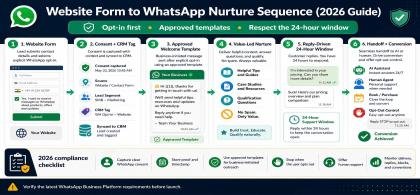
Website Form to WhatsApp Nurture Sequence (2026 Guide)
Website Form to WhatsApp Nurture Sequence (2026 Guide)Email opt-ins are suffering from declining ope...
- 04 Oct, 2026
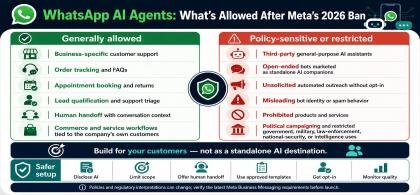
WhatsApp AI Agents: What’s Allowed After Meta’s 2026 Ban
WhatsApp AI Agents: What’s Allowed After Meta’s 2026 BanMeta's updated WhatsApp Business Solution Te...
- 04 Oct, 2026
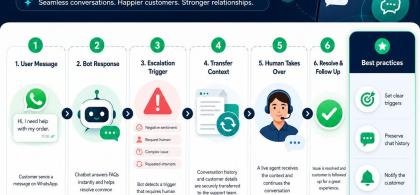
WhatsApp Chatbot to Human Handoff: Setup Guide (2026)
WhatsApp Chatbot to Human Handoff: Setup Guide (2026)A chatbot that gets stuck in an infinite loop o...
- 04 Oct, 2026

5 Smart Ways to Automate WhatsApp Marketing Without Sounding Spammy
5 Smart Ways to Automate WhatsApp Marketing Without Sounding Spammy Stop alienating your aud...
- 08 Aug, 2026
Launch a WhatsApp SaaS Business with a Platform Built for Growth
Launch a WhatsApp SaaS Business with a Platform Built for Growth Discover...
- 08 Aug, 2026
WhatsApp for E-commerce: How to Recover Abandoned Carts and Increase Sales
WhatsApp for E-commerce: How to Recover Abandoned Carts and Increase Sales...
- 08 Aug, 2026
Unified WhatsApp Inbox: The Feature That Fixes Team Chaos
Unified WhatsApp Inbox: The Feature That Fixes Team Chaos Stop losing context...
- 08 Aug, 2026
Why Digital Agencies Need WhatsApp Automation to Scale Client Results
Why Digital Agencies Need WhatsApp Automation to Scale Client Results Stop le...
- 08 Aug, 2026
Stop Losing Leads in WhatsApp Chats: The Complete WhatsApp CRM Solution for Sales Teams
The Ultimate Guide to Scaling WhatsApp Sales: Why Your Business Needs a System, Not Just a Phone...
- 08 Aug, 2026

Top Benefits of Using OvoWpp for Agencies and Startups
Top Benefits of Using OvoWpp for Agencies and StartupsIn today’s hyper-competitive market, agencies...
- 01 Jun, 2025

From Contact to Customer, The WhatsApp Sales Funnel Explained
From Contact to Customer, The WhatsApp Sales Funnel ExplainedWhatsApp is no longer just a messagin...
- 01 Jun, 2025

Boost Conversions with WhatsApp Short Links and Smart Widgets
Boost Conversions with WhatsApp Short Links and Smart WidgetsIn the competitive world of digital ma...
- 08 Feb, 2025

How to Build a WhatsApp Chatbot for Lead Generation (No Code)
How to Build a WhatsApp Chatbot for Lead Generation (No Code)Leads who click an ad, scan a QR code,...
- 06 Feb, 2025

Best WhatsApp CRM for Small Business: How to Choose (and What Actually Matters)
Best WhatsApp CRM for Small Business: How to Choose (and What Actually Matters)If you run a small bu...
- 06 Feb, 2025