
Best WhatsApp CRM for Small Business: How to Choose (and What Actually Matters)
- 06 Feb, 2025
Best WhatsApp CRM for Small Business: How to Choose (and What Actually Matters)
If you run a small business on WhatsApp—answering quotes, booking calls, or closing sales from a single phone—you already know the channel works. The harder question is when that phone-and-spreadsheet setup stops scaling, and what a WhatsApp CRM should actually include before you pay for another tool.
This guide is criteria-first. It is not a ranked “top 10” list. You will get a clear definition of WhatsApp CRM in 2026, signs you have outgrown the free WhatsApp Business App, an evaluation checklist, persona fit notes, a shortlist method, and where WhatsApp CRM and marketing tools like OvoWpp fit for teams of roughly one to fifteen people. If you are still deciding between the phone app and the official API path, pair this with a dedicated App vs API comparison when you are ready to upgrade.
What “WhatsApp CRM” means in 2026
A WhatsApp CRM is not “WhatsApp plus a contacts list.” It is a software layer that connects an official WhatsApp Business API number to contact records, conversation history, team workflows, and outbound marketing—so sales and support share one source of truth.
Phone + spreadsheet vs API + CRM layer
Many startups begin with:
- The WhatsApp Business App on one phone
- A spreadsheet of leads
- Manual copy-paste reminders
That works until two people need the same chat, until you need approved proactive templates, or until you cannot tell which campaign produced a reply. A WhatsApp CRM sits on the official Business API / Business Platform path (accessed through a provider), and adds the business systems the phone app was never designed to own.
Core modules buyers should expect
When vendors say “WhatsApp CRM,” look for these buckets:
| Module | What it should do for a small team |
|---|---|
| Contacts | Import, tags, segments, profiles tied to chat history |
| Unified inbox | One place for chats; assignment; notes; agent visibility |
| Templates | Create, submit, and reuse Meta-approved message templates |
| Campaigns | Segmented sends with delivery / read / reply visibility |
| Chatbot / automation | Welcome flows, qualification, 24/7 first reply without code |
| Agents / roles | Invite teammates, control access, assign conversations |
SaaS subscription vs Meta message fees
Budget in two layers:
- Platform subscription — seats, WhatsApp accounts, contacts, automation limits, features.
- Meta conversation / message charges — billed according to Meta’s published WhatsApp Business Platform pricing (categories and rates change; always check Meta’s current docs rather than memorizing a blog number).
A clear vendor will separate those costs instead of burying message fees inside vague “unlimited” claims.
Signs you’ve outgrown the WhatsApp Business App alone
Stay on the App if one founder handles every chat and volume stays low. Move toward an API-backed CRM when several of these are true:
One shared phone / missed handoffs
Passing a device between sales and support creates ghost conversations, forgotten follow-ups, and no audit trail. If “Who answered this lead?” is a Slack mystery, you need a multi-agent inbox.
Broadcast limits and no real segmentation
The App’s broadcast-style outreach is built for simple lists, not lifelong customer journeys. When you need segments (trial users, VIP buyers, city-based offers) and measurable campaigns, a CRM campaign module matters more than another blast list.
No agent roles, no campaign analytics, no contact history tied to chats
Without roles, everyone sees everything—or nobody can see the right thread. Without analytics, you cannot tell if a promo was ignored or simply never delivered. Without CRM history, every new agent re-asks the same questions.
Need approved templates and multi-user access
Proactive marketing and many service notifications require approved templates. Multi-user access to one business number is a core reason teams adopt the Business API through a platform. If you need both, the App alone is usually the ceiling—not the destination.
Evaluation checklist (use this before any “best of” list)
Score tools against these criteria. Weight them for your use case before you open a comparison table.
- Official API / policy compliance path — Provider uses the official WhatsApp Business API; clear guidance on opt-in and template categories.
- Unified inbox + assignment + notes — Agents can claim chats, leave context, and avoid double-replies.
- Contact import, tags, segments — CSV/spreadsheet import and filters for campaigns.
- Template manager + campaign tracking — Delivery, read, and reply visibility for sends that matter.
- No-code chatbot / welcome flows — First reply and qualification without engineering.
- Agent seats, roles, and auditability — Who can send, who can export, who owns a conversation.
- Short links / click-to-chat lead capture — Useful for marketers driving traffic from bio links, email, QR, and ads.
- Pricing clarity — Seats, WhatsApp accounts, contacts, and how Meta message costs are handled.
- Onboarding effort for non-technical teams — Display name / verification steps explained in plain language; time-to-first-campaign reasonable for a small ops team.
Print this list. Score each vendor 1–5. Ignore shiny feature rows that do not map to a row above.
Buyer personas and fit
Freelancer / solo operator
You need speed: templates for recurring quotes, a clean inbox, and short links that open a pre-filled chat from Instagram or your website. Full multi-agent complexity can wait; contact tags and welcome automation still pay off.
Startup sales pod
Two to five people sharing pipeline on WhatsApp. Prioritize assignment, CRM profiles, and campaign follow-ups after demos or trials. A WhatsApp-first stack often beats a generalist CRM with a thin WhatsApp plug-in when chat is where deals actually move.
Growing support team
Volume spikes, repetitive FAQs, and SLA pressure. You want chatbot deflection for common questions, clear human handoff, roles, and an inbox that does not rely on one hero agent’s phone battery.
Generalist CRM with a WhatsApp plug-in vs WhatsApp-first
Choose a generalist CRM plug-in if WhatsApp is a side channel and your pipeline already lives in HubSpot/Salesforce-style systems. Choose a WhatsApp-first CRM + marketing suite if WhatsApp is the primary conversation surface for sales, support, or local commerce—and you want campaigns, chatbot flows, and inbox in one dashboard instead of swivel-chair tooling.
How to shortlist tools without getting lost in feature tables
Score only the checklist (weighted)
Give higher weight to inbox + agents if you are support-led; higher weight to campaigns + templates + short links if you are marketing-led; higher weight to chatbot + CRM fields if leads arrive cold from ads.
Prefer inbox + campaigns + contacts together
Every extra tool adds login fatigue and broken context. Small teams usually win by consolidating conversation, contacts, and outbound in one WhatsApp-oriented product.
Pilot with one number, 2–3 agents, and one campaign/template set
Do not migrate every historical contact on day one. Connect one number, invite two or three agents, approve a small template set, and run one real campaign or welcome flow. Review handoffs weekly.
Stay compliant
- Message only people who opted in or who messaged you in an allowed window.
- Use the correct template categories for proactive outreach.
- Skip unsolicited bulk blasts and gray-hat “unofficial API” clients—they risk number bans and customer trust.
Where OvoWpp fits for small teams
OvoWpp is positioned as WhatsApp CRM and marketing all-in-one on the official WhatsApp Business API—not as the only or “#1” tool in the market. Map the checklist like this:
| Checklist item | How OvoWpp approaches it |
|---|---|
| Contacts | Smart contact management: import, tags, segments, profiles |
| Unified inbox | Unified Inbox Manager with assignment and team workflows |
| Templates | Template Manager with variables and rich message structure |
| Campaigns | Manage Campaign with delivery, read, and response tracking |
| Chatbot / welcome | No-code Chatbot Builder + Welcome Message Automation |
| Agents | Agent Management System with role-based access |
| Short links | Short Link Generator with pre-filled click-to-chat messages |
| Pricing clarity | Transparent plan limits for accounts, agents, contacts, flows—Meta message charges apply separately |
Explore OvoWpp features (unified inbox, campaigns, chatbot, CRM) against your weighted scores, then check OvoWpp pricing for seats and limits that match a small pilot. Soft next step: shortlist with the checklist, then pilot OvoWpp if you want campaigns, chatbot flows, a shared inbox, and contact management in one WhatsApp-first dashboard.
Implementation tips after you pick a platform
- Import and clean contacts; tag by source — Deduplicate numbers; tag source:ads, source:website, source:referral before the first campaign.
- Approve 3–5 high-value templates — Welcome/utility, appointment reminder, order update, and one marketing offer you will actually reuse.
- Define assignment rules and SLAs — Who owns new chats? What is “first reply” for hot leads vs support?
- Launch one welcome/chatbot flow + one nurture campaign — Ship a narrow loop before you automate everything.
- Review reply and handoff quality weekly for 30 days — Agent feedback beats vanity dashboards. Adjust questions, tags, and routing—not just message volume.
FAQ
Is WhatsApp CRM the same as WhatsApp Business App?
No. The Business App is Meta’s free mobile client for solo or light use. A WhatsApp CRM is typically a web/platform product that uses the official Business API to add shared inbox, CRM records, campaigns, templates, and automation.
Do I need the WhatsApp Business API?
If you need multi-agent access to one number, approved proactive templates at scale, chatbots wired to CRM fields, or campaign analytics beyond the phone app, yes—you will use the API through a provider. Solo, low-volume chat can stay on the App longer.
Can multiple agents use one number?
On the official API path via a platform inbox, yes—that is a primary reason teams upgrade. The consumer-style single-phone workflow is not designed as a full multi-agent CRM.
What’s the difference between marketing templates and session replies?
Session (service) replies happen inside an open customer care window after the user messages you—more conversational flexibility. Marketing (and other category) templates are pre-approved formats used for many kinds of proactive outbound. Use opt-in audiences and the right category; do not treat templates as a loophole for spam.
How should small businesses budget (SaaS + Meta message costs)?
Estimate platform seats/limits for your team size, then model expected template and conversation volume using Meta’s published pricing. Add a buffer for seasonal spikes. Prefer vendors that show both layers clearly.
Conclusion
The “best WhatsApp CRM for small business” is the one that matches your weighted checklist—not the one with the loudest listicle ranking. Define whether you need shared inbox, templates and campaigns, no-code automation, agent roles, and clear pricing; pilot with one number and a small team; stay opt-in and policy-safe.
If your scores point to an all-in-one WhatsApp CRM and marketing stack, evaluate OvoWpp against those same criteria—features, pricing, and a focused pilot—then decide with evidence from your own chats, not someone else’s scoreboard.
Share this Blog
More Blogs

Secure Your Cloud-Based Applications in 2026: The Essential Guide to SaaS Penetration Testing
Secure Your Cloud-Based Applications in 2026: The Essential Guide to SaaS Penetration TestingAs Soft...
- 05 Oct, 2026

Why Every Business Needs a WhatsApp Campaign Manager
Why Every Business Needs a WhatsApp Campaign ManagerIn today’s fast-paced digital marketplace, winni...
- 05 Oct, 2026

5 Powerful Ways to Automate Your Marketing with OvoWpp
5 Powerful Ways to Automate Your Marketing with OvoWppTraditional digital channels are facing unprec...
- 05 Oct, 2026

How WhatsApp CRM Tools Can Skyrocket Your Customer Engagement
How WhatsApp CRM Tools Can Skyrocket Your Customer EngagementIn an era where cold emails sit unopene...
- 05 Oct, 2026
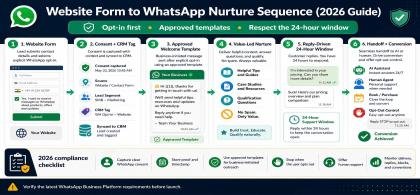
Website Form to WhatsApp Nurture Sequence (2026 Guide)
Website Form to WhatsApp Nurture Sequence (2026 Guide)Email opt-ins are suffering from declining ope...
- 04 Oct, 2026
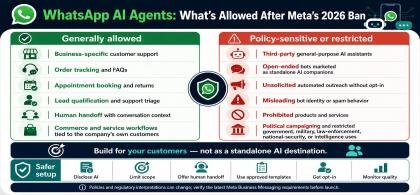
WhatsApp AI Agents: What’s Allowed After Meta’s 2026 Ban
WhatsApp AI Agents: What’s Allowed After Meta’s 2026 BanMeta's updated WhatsApp Business Solution Te...
- 04 Oct, 2026
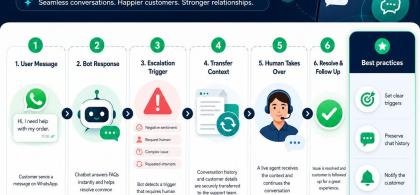
WhatsApp Chatbot to Human Handoff: Setup Guide (2026)
WhatsApp Chatbot to Human Handoff: Setup Guide (2026)A chatbot that gets stuck in an infinite loop o...
- 04 Oct, 2026

5 Smart Ways to Automate WhatsApp Marketing Without Sounding Spammy
5 Smart Ways to Automate WhatsApp Marketing Without Sounding Spammy Stop alienating your aud...
- 08 Aug, 2026
Launch a WhatsApp SaaS Business with a Platform Built for Growth
Launch a WhatsApp SaaS Business with a Platform Built for Growth Discover...
- 08 Aug, 2026
WhatsApp for E-commerce: How to Recover Abandoned Carts and Increase Sales
WhatsApp for E-commerce: How to Recover Abandoned Carts and Increase Sales...
- 08 Aug, 2026
Unified WhatsApp Inbox: The Feature That Fixes Team Chaos
Unified WhatsApp Inbox: The Feature That Fixes Team Chaos Stop losing context...
- 08 Aug, 2026
Why Digital Agencies Need WhatsApp Automation to Scale Client Results
Why Digital Agencies Need WhatsApp Automation to Scale Client Results Stop le...
- 08 Aug, 2026
Stop Losing Leads in WhatsApp Chats: The Complete WhatsApp CRM Solution for Sales Teams
The Ultimate Guide to Scaling WhatsApp Sales: Why Your Business Needs a System, Not Just a Phone...
- 08 Aug, 2026

Top Benefits of Using OvoWpp for Agencies and Startups
Top Benefits of Using OvoWpp for Agencies and StartupsIn today’s hyper-competitive market, agencies...
- 01 Jun, 2025

From Contact to Customer, The WhatsApp Sales Funnel Explained
From Contact to Customer, The WhatsApp Sales Funnel ExplainedWhatsApp is no longer just a messagin...
- 01 Jun, 2025

Boost Conversions with WhatsApp Short Links and Smart Widgets
Boost Conversions with WhatsApp Short Links and Smart WidgetsIn the competitive world of digital ma...
- 08 Feb, 2025

WhatsApp Business API vs WhatsApp Business App: Which Does Your Marketing Team Need?
WhatsApp Business API vs WhatsApp Business App: Which Does Your Marketing Team Need?Marketing teams...
- 08 Feb, 2025

How to Build a WhatsApp Chatbot for Lead Generation (No Code)
How to Build a WhatsApp Chatbot for Lead Generation (No Code)Leads who click an ad, scan a QR code,...
- 06 Feb, 2025